For users · Daily use
Board
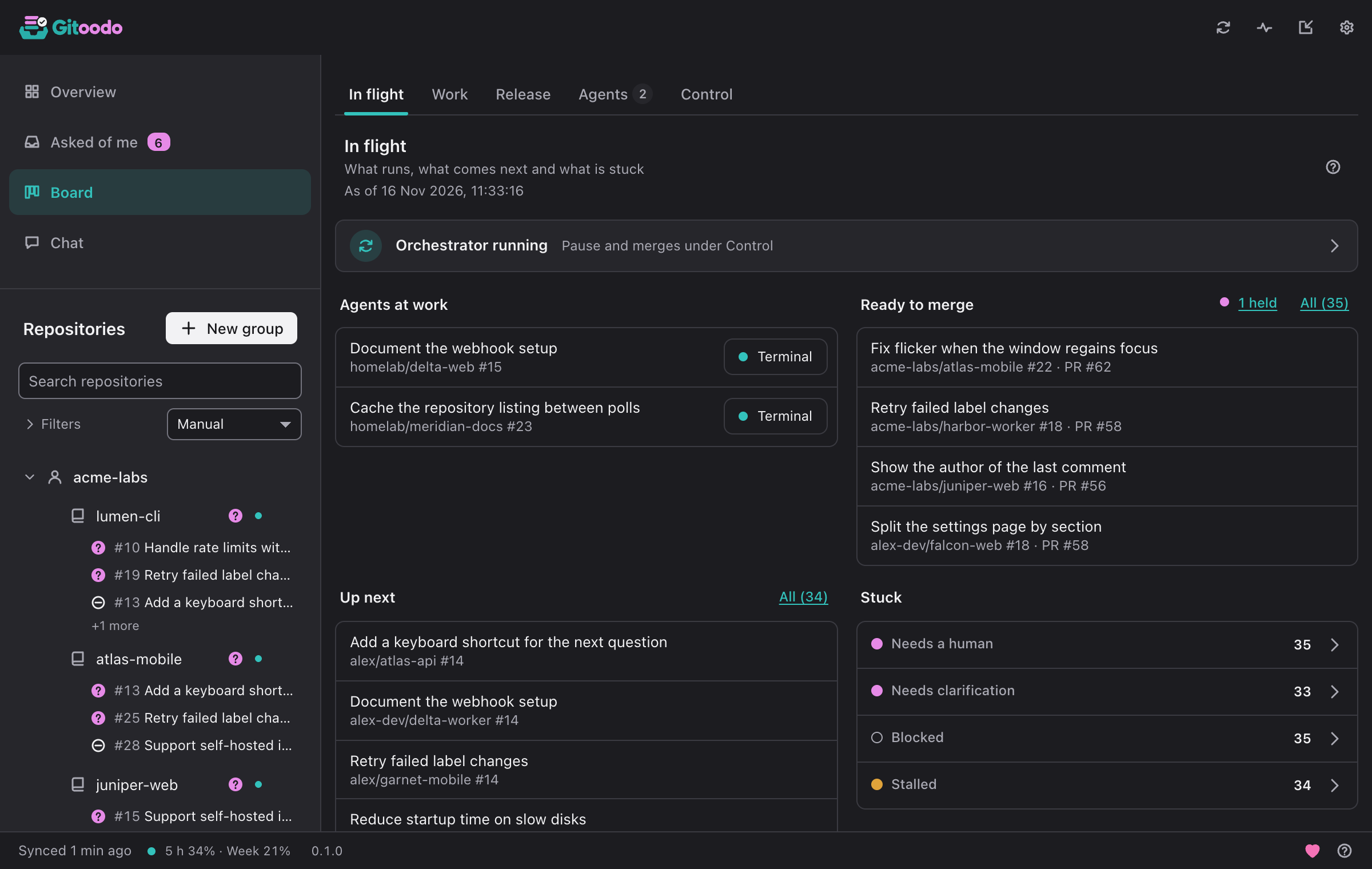
The board shows every open issue with its status, score and the agent working on it. Search and filters narrow it to repositories, states or labels.
- New issue creates an issue, marked ready right away if you like.
- Agent session shows an agent's running session in a terminal.
- Discuss in chat hands an issue to the chat.
The board is split into subpages. In orchestrator mode they are In progress, Issues, Release, Agents and Control; in direct mode In progress, Issues and Pull requests. Gitoodo remembers the subpage you used last and opens it again. Clicking an issue anywhere on the board opens its details: repository, state, labels, priority, what it depends on, milestone, who works on it and, if it belongs to the next release, why.
In progress#
What runs, what comes next and what is stuck
In orchestrator mode this page answers "is everything moving?" at a glance. The line at the top says whether the orchestrator runs, is paused or cannot be reached; clicking it opens Control. Below it you see the Running workers (with Terminal to watch a running worker live; a note under them says how many are Left behind), the pull requests Ready to merge, the ready issues Up next in the order the dispatcher takes them (boosted issues first, then by score) and what is Stuck: issues that need a human, approval or clarification, and blocked, stalled or held ones. Click a stuck state or All to see exactly those issues under Issues.
In direct mode the page shows what needs you instead: how many questions wait in Asked of me, the counters Question open, Blocked, CI failing and Stale (a click filters the list under Issues), the recent throughput and a link to the open pull requests.
Issues#
Issues and pull requests by state
Issues lists every issue and pull request of your switched-on repositories. In orchestrator mode they are grouped by repository: Search the board finds items by text, Filters narrow the list by repository, state or label, and Clear filters shows everything again. In a large window the list and the selected item's details sit side by side.
In orchestrator mode each row carries the actions that fit its state: Terminal for a running worker; Park, Restart or Stop to steer a worker (stopping and restarting ask first); Boost to move a ready issue to the front of the queue; and Control merge to hold or veto the pull request of an issue in review. In direct mode, Group by switches between Status, Repo, Account, Numbers (a table of counts; click a number to open the filtered list) and Needs you.
Pull requests#
Open pull requests with checks and merge state
Direct mode only: every open pull request of your repositories, grouped by repository. Each one shows whether its checks passed, failed (with the name of the first failing check), are running or are missing, whether it can be merged or has a conflict, and which issues it closes. Pull requests that need a look stand out, and In progress counts them. A click opens the pull request on the forge.
Release#
How far the next release is in each repository
Release planning uses the forge's milestones. An issue enters the next release with the release:next label, as a dependency of a release issue or with priority:p0.
Release status per repository shows how far each repository's next release is and what is still open in it. Copy summary copies the release plan as text; with Attach a link to Gitoodo it ends with a link to Gitoodo.
Workers#
Every running worker, live, here and on worker machines
Each tile shows a worker's terminal, scaled down and live. Opened large it starts out watch-only; only “Take over” sends your keys, paste and Ctrl-C to the worker, after one confirmation. What is shown passes the same redaction as the logs, so known tokens never appear.
Agents#
Who works on what, and what was written to the forge
“Left behind” are issues whose reservation expired or that were flagged as stalled while no worker runs for them any more; they do not count as work, and with “ready” instead of “stalled” they go back into the queue.
Every write to the forge, newest first
Running workers lists every issue that is really being worked on right now: first the workers this orchestrator runs (on this device or on a worker machine, named in the row), then issues another orchestrator holds with a reservation that is still valid. A reservation is valid while it has not expired and the issue is still in progress or in review. Once it has expired or the issue was flagged as stalled, the issue no longer counts as work and sits collapsed under Left behind; with “ready” instead of “stalled” it goes back into the queue. The overview's Workers tile counts the same workers and says how many run here, on a worker machine or on other machines. The row actions are the same as under Issues: Terminal opens the live terminal (macOS and Linux) and Detach leaves it while the worker keeps running; Park ends the worker and keeps the issue until a human decides, Restart starts it again in the same worktree, Stop ends it for good and hands the issue to a human.
Activity is the orchestrator's log of every write to the forge, newest first: which issue or pull request, what was written and why, marked OK or Failed. A click on the item opens it on the forge; Filter by repository narrows the log to one repository.
Control#
Pause automation, hold merges, pause repositories
Orchestrator on/off stops everything: no new work, no merges. Running agents return their issues to the queue.
Hold or veto a pull request before the orchestrator merges it. An auto-merge already enabled on the forge cannot be withdrawn from here.
Under Repositories you pause single repositories instead of the whole orchestrator: no new workers start there, running ones finish. Resume lets the repository take work again.